

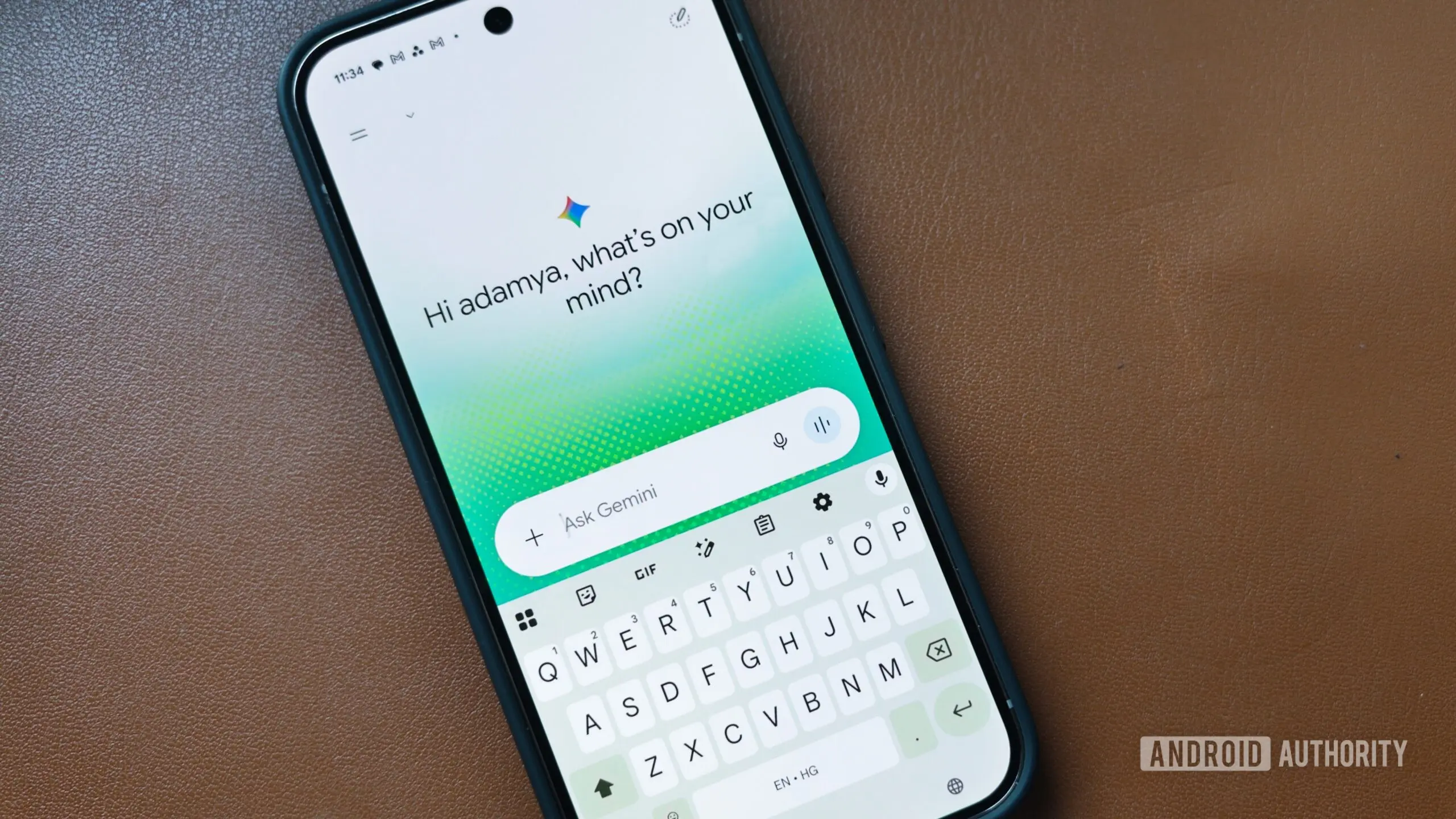
Around two months ago, Google introduced Gemini’s new neural design with 3D visual effects and spatial animations, almost gesturing at its transformation for the upcoming Android XR visual interface. The effects were largely limited to Gemini’s homescreen on Android, as well as regular (non-Live) chats. Now, however, we’re seeing these changes spill over to the Gemini overlay, the floating bar that appears when you hail Gemini from outside the Google app, as well as in the Gemini Live interface.
You’re reading an Authority Insights story. Authority Insights brings you all the latest exclusive reports, app teardowns, leaks, and in-depth tech coverage from the Android Authority team that you won’t find anywhere else.
Google now appears to be testing extensive neural design elements across more parts of the Gemini launcher on Android. These changes are being tested as part of version 17.43.11 of the Google app, which includes Gemini. While they aren’t live yet, we were able to tweak the app to activate them on our end.
What the new design looks like
The first big change appears in the only-recently-updated Gemini overlay, which now looks more gauzy, ethereal almost, with edges that blur slightly when you’re communicating with Gemini. It’s almost as if Google is trying to portray that Gemini is alive. The floating overlay also dons colors appropriate to the design and appears slightly slimmer than its existing, widely available form. These colors, along with floating dots, are sprinkled on the edges of the overlay, and some highlights can also be seen on the periphery of the floating output window.
Additionally, we notice a fundamental change to how Gemini launches. The launch animation feels intentionally slowed to give it a somewhat hypnagogic appearance. It’s not truly transparent, but it gives the impression of a glowing element.
Talk Live button appears
We also notice a Talk Live button appear in the Gemini overlay that lets you shift the conversation to Gemini Live instead of a regular chat, so you can interact more freely with natural pauses.
Gemini Live interface also gets neural treatment
Along with the overlay, the Gemini Live interface also gets a neural treatment. The floating button in the middle is now more compact and less defined compared to the existing implementation. It also gets the airy glow with a misty, ever-changing shape.
Needless to say, since all of these changes are just being tested, there’s no certainty of when it could go live for users.
This redesign is part of Google's broader effort to make Gemini feel more alive and integrated with the user experience. The neural design was first spotted in the Gemini app's homescreen and non-Live chats, where it introduced 3D visual effects and spatial animations. The design philosophy aims to convey that Gemini is not just a tool but a living entity that responds to the user's environment. The use of flowing overlays, soft colors, and dynamic shapes is intended to create a more immersive and human-like interaction.
Technical background of the neural design
The term "neural design" refers to a visual language that mimics organic, neural-like patterns. Google's design team has been exploring such concepts for years, but this is the first time it's being applied to a core AI assistant. The floating overlay's gauzy appearance is achieved through advanced rendering techniques that blur the edges dynamically based on user input. The colorful dots that appear on the edges are generated algorithmically, reacting to the user's voice or text input. This creates a unique visual fingerprint for each interaction.
Another notable aspect is the slowed launch animation. In the current stable version, Gemini appears almost instantly with a simple fade-in. The new version takes a moment longer, with the overlay expanding from a small glowing point to fill the screen. This animation is deliberately paced to give users a sense of breathing and life, similar to how a living creature might stir awake.
Implications for Gemini Live
Gemini Live is Google's voice-first mode that allows natural conversation with pauses. The new design for its UI aligns with the overlay changes. The floating button that users tap to start a Live session now has a "misty, ever-changing shape" rather than a fixed geometric form. This imparts a sense of fluidity and responsiveness. The Talk Live button is a additional entry point that bridges the gap between text-based and voice-based interaction. It appears in the overlay when the context is appropriate, such as after a prolonged text exchange or when the user's input suggests they might prefer spoken conversation.
Release timeline and expectations
Since these features are only present in the latest Google app beta version 17.43.11 and are not yet active by default, it's impossible to say when they will roll out to all users. Google often tests such design changes for weeks or months before a broader release. The fact that they are appearing in the overlay and Live interfaces suggests that the company is confident in the design direction. However, user feedback during beta testing could lead to modifications or even abandonment if the changes are not well received.
In the past, Google has used its beta channel to trial major UI revamps. For example, the Material You design language was initially tested in apps like Google Phone and Messages before becoming the standard for Android 12. Similarly, Gemini's neural design may serve as a precursor to a larger overhaul of the Google Assistant interface, possibly aligning with the launch of Android XR, Google's extended reality platform expected in late 2026.
Comparison with existing interface
The current Gemini overlay is a simple semi-transparent panel with sharp corners and solid background. It displays the conversation history and an input field. The new version blurs the lines between background and foreground, making the overlay appear as a natural extension of the user's screen. The existing Gemini Live interface features a large circular button with a gradient. The new one is smaller, less defined, and constantly morphing, suggesting a departure from button-centric design toward more ambient interactions.
This shift mirrors trends in AI interface design seen in other platforms. For instance, Apple's Siri uses a colored orb that pulses, but it remains a distinct object. Google's approach seems to aim for a more seamless integration, where the assistant's visual representation feels like part of the environment rather than an intrusive overlay.
Overall, these changes represent a significant step forward in making AI assistants more engaging and less like static tools. The ethereal, glowing design could help users feel they are interacting with a sentient entity rather than a simple script. Only time will tell if Google will push this design to the public version and how users will react to the more immersive UI."
Source: Android Authority News