

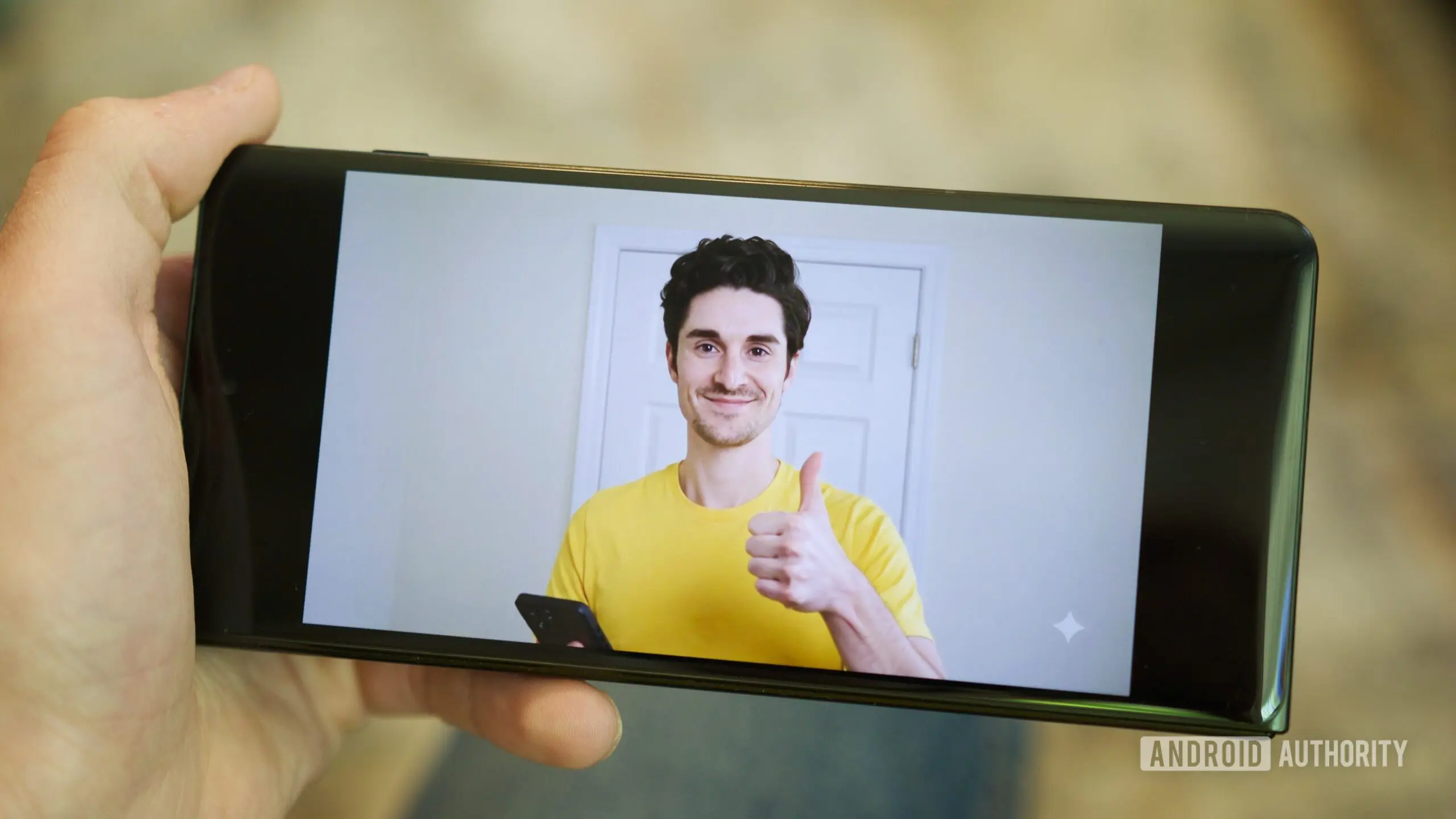
Editing a video has historically been a complex and time-consuming process, requiring careful attention to lighting, background, audio, and numerous retakes. Google is aiming to change that with a sweeping update to its Google Vids platform, powered by the advanced multimodal model Gemini Omni. This update introduces capabilities that allow users to create or modify videos using simple natural language prompts, bypassing traditional editing timelines.
The Rise of Google Vids and Gemini Omni
Google Vids was first launched as a tool to help users quickly generate short-form videos for presentations, social media, and internal communications. With the integration of Gemini Omni, which was unveiled at Google I/O 2026, the platform now offers a far more sophisticated AI-driven experience. Gemini Omni is a multimodal model that can process and generate text, images, audio, and video simultaneously. This allows users to describe a scene or change and have the AI implement it instantly.
For example, instead of manually adjusting brightness or swapping backgrounds frame by frame, users can simply type “make the background a sunny beach” or “improve lighting on the subject.” The AI interprets these commands and applies them to the video. This shift from manual to conversational editing could significantly lower the barrier to entry for video creation, making it accessible to non-professionals while still offering powerful tools for experienced editors.
Personal Avatars: A Digital Stand-In
One of the most notable features is the ability to create a personal AI avatar. Users need only upload a single selfie and a short voice recording. The system then generates a digital version of the user that can deliver any typed script. This means individuals can appear in videos without ever turning on a camera. The avatar mimics the user’s facial features and voice patterns, creating a realistic representation.
To address potential misuse, Google has implemented several safety measures. Personal avatars are tied strictly to the account holder’s image; users cannot create avatars of other people. Additionally, the feature is restricted to individuals over 18 in supported regions. Every AI-generated clip is embedded with an invisible digital watermark called SynthID, which allows verification of the video’s origin. This helps prevent deepfake-style abuse and ensures transparency.
Expressive Voice Controls and Audio Tags
Beyond avatars, Google Vids now offers granular control over AI narration. Users can insert bracketed commands directly into their script to change the avatar’s emotional tone, pacing, or even add sound effects. For instance, typing “[excitedly]” before a sentence will cause the avatar to deliver those words with enthusiasm. The system also suggests available steering tags when an opening bracket is typed. For those who prefer automation, an “Apply audio tags” option can automatically insert appropriate cues throughout the script based on the content.
These voice-steering tools are available in both Rapid Release and Scheduled Release domains. They support a wide range of Google Workspace editions, including Business, Enterprise, Education Plus, nonprofit organizations, individual users, and personal Google accounts. Even subscribers to Google AI Pro and Ultra tiers have access. Administrators do not need to enable anything; the features roll out automatically.
Background and Industry Context
The update to Google Vids is part of a broader trend where tech companies are integrating generative AI into creative tools. Competitors like Adobe Premiere Pro have introduced AI features such as text-based editing and auto-reframe. Meanwhile, platforms like Pictory and Synthesia offer AI video generation from scripts. Google’s advantage lies in its deep integration with the Workspace ecosystem, allowing seamless use across Docs, Slides, and Gmail. The addition of personal avatars also positions Google Vids as a direct rival to services like Synthesia, which specializes in AI-generated presenters.
Gemini Omni itself represents a leap forward. It builds on years of research in large language models and multimodal learning. By combining vision, language, and audio understanding into one model, it can handle complex tasks that previously required multiple separate AI systems. For video editing, this means not just changing visuals but also synchronizing audio, adjusting voice, and maintaining consistency across clips.
The ability to create videos from natural language prompts has implications for marketing, education, internal communications, and content creation. Teachers could quickly produce educational videos without needing editing skills. Marketing teams could generate prototype ads in minutes. Corporate trainers could create personalized onboarding videos using avatars. The time and cost savings could be substantial.
Safety and Ethical Considerations
With great power comes responsibility. Google’s decision to limit avatar creation to the account holder’s own likeness and to require age verification is a step toward mitigating risks. The invisible SynthID watermark is another layer of protection, allowing content to be traced back to its origin. These measures are critical as deepfake technology becomes more accessible. By embedding ethical safeguards into the product, Google is attempting to enable creativity without enabling fraud or harassment.
Furthermore, the voice steering tools include safeguards to prevent generating harmful or misleading content. The AI is trained to reject prompts that ask for inappropriate or deceptive outputs. While no system is foolproof, these constraints help maintain a baseline of responsible use.
Technical Implementation and User Experience
From a technical perspective, the integration of Gemini Omni into Google Vids is seamless. Users can upload existing video clips or start from scratch by entering a text prompt. The AI generates a storyboard and then renders the final video. Editing is as simple as typing new instructions. The system remembers context, so subsequent commands build on previous changes. For example, after asking to change the background to a beach, a user can then say “make it sunset” and the AI will adjust accordingly.
The avatar creation process takes only a few minutes. The selfie provides facial structure, and the voice recording captures tone and cadence. The result is a digital persona that can speak in multiple languages if the user provides scripts in those languages. The avatar’s movements are realistic, including head nods, hand gestures, and lip synchronization.
Audio steering tags are especially useful for long scripts. Instead of manually recording multiple takes with different emotions, users can write the entire script and then insert cues. The AI automatically adjusts the delivery. This saves hours of voiceover work. Sound effects can also be triggered by tags like “[phone rings]” or “[applause]”. These effects are pulled from a library of licensed audio.
Availability and Rollout
As stated in the announcement, the new features are widely available. Google Workspace customers across different tiers can access Gemini Omni in Vids. The rollout is gradual but automatic. Users with personal Google accounts can also use the features, though some advanced options may require a Google AI Pro or Ultra subscription. The company plans to continue refining the AI based on user feedback.
Early adopters have reported positive experiences, noting the speed and ease of generating professional-looking videos. However, some users have pointed out limitations, such as occasional inaccuracies in avatar facial expressions or minor inconsistencies in voice tone. Google is expected to address these with regular updates.
Overall, the enhancements to Google Vids represent a significant step forward for AI-assisted video creation. By making complex editing tasks as simple as talking to an assistant, Google is democratizing video production. The addition of personal avatars and expressive voice controls further blurs the line between human actors and digital stand-ins. As the technology matures, it will likely become an indispensable tool for anyone who needs to produce video content quickly and efficiently.
Source: Android Authority News