

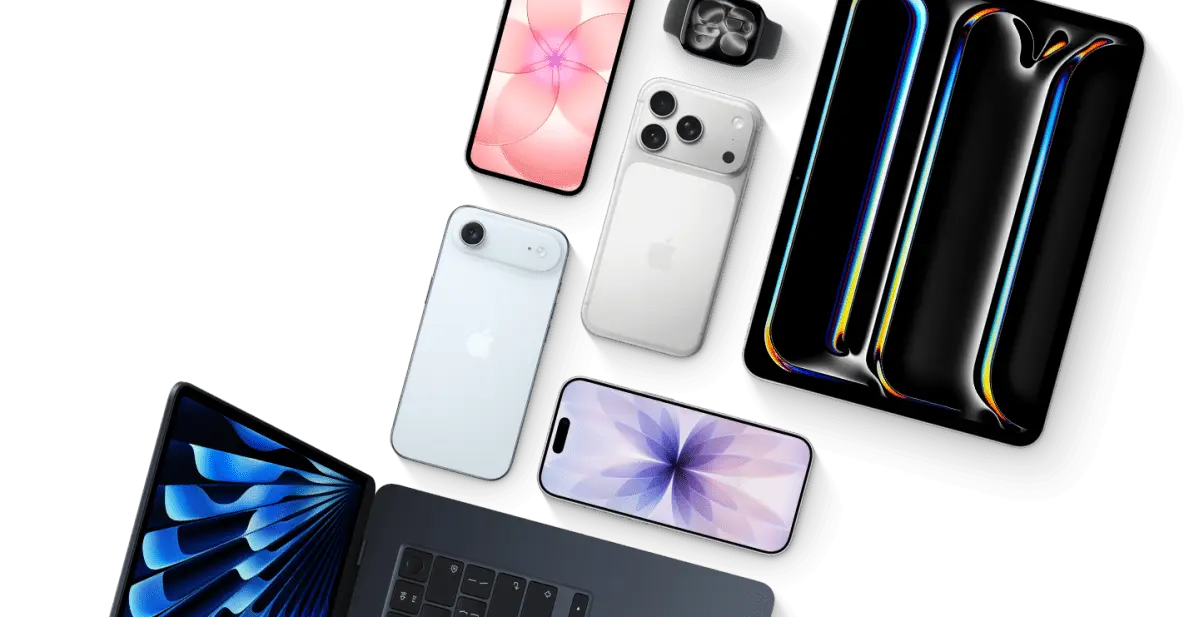
Apple’s new Upgrade program is here, allowing you to lease select models of iPhones, iPads, Macs, and Watches with a relatively low monthly payment. The company promises you won’t pay more than the full price of the device over the course of the one- to three-year lease, and in some cases, you’ll pay hundreds of dollars less.
The basics of the program make it sound like an amazing deal… so surely there must be a catch, right?
The answer basically depends on how you use the Upgrade Program. At least with current pricing, a diligent user really should be able to make a monthly payment, swap in their phone a year or more later, and move along. But like any program involving monthly payments and trade-ins, there are caveats to be aware of — the most important of which is your ability to keep paying on time throughout the length of the contract.
How the Apple Upgrade program works
The basics of the program work like this: You’ll pay the same monthly fee throughout the course of your contract. At the end of your lease, you have three choices. One of those options is to purchase the device by paying the difference between what you’ve paid and its remaining cost. For example, if you pay $695.76 to lease an iPhone Air for two years, you’d have to pay an extra $303.24 to purchase it at its $999 price tag.
Here is a breakdown of how much you’d pay for the devices included in the Apple Upgrade program, as well as how much more you’d pay to purchase the devices outright at the end of your lease:
- iPhone Air (128GB): $999 total price. Lease example: $28.99/month for 24 months = $695.76. Remaining to own: $303.24.
- iPhone 17 (128GB): $799 total price. Lease example: $22.99/month for 24 months = $551.76. Remaining to own: $247.24.
- iPad Pro (11-inch, 256GB): $1,299 total price. Lease example: $36.99/month for 36 months = $1,331.64 (slightly above full price in this example, but program claims no more than full price).
- MacBook Air (13-inch, 256GB): $1,099 total price. Lease example: $30.49/month for 36 months = $1,097.64. Remaining to own: $1.36.
- Watch Series 11 (GPS, 42mm): $429 total price. Lease example: $16.99/month for 24 months = $407.76. Remaining to own: $21.24.
Then there are the other two options. At the end of your lease, you can also choose to simply end the contract there, though you’ll then have to return the device and lose any potential resale or trade-in value. Or you can upgrade to another device immediately and switch to whatever monthly payment that new device demands.
The biggest catch: it’s a loan
The single biggest catch of the Upgrade Program is that it’s ultimately just a loan, and like any loan, there’s a contract, along with possible fees and terms you have to abide by.
Apple says there aren’t any late fees or interest on the loans, which are offered through the buy now, pay later service Klarna. In a statement, Klarna spokesperson Clare Nordstrom says if a person misses three payments in a row, the company “will terminate the lease agreement and the customer will need to pay the full outstanding balance.”
Klarna doesn’t say what will happen if you don’t pay the outstanding balance. However, a support page about payments with Klarna says if a payment “is not registered by the last reminder due date, the debt is transferred to debt collection,” though it’s unclear whether this applies to the Apple Upgrade program. Apple spokesperson Brian Bumbery confirmed that “there will be no limitations put on device functionality due to missed payments or default with the Apple Upgrade program.”
Apple Upgrade payments can also pile upon the other bills and subscriptions you probably have. The possibility of accruing debt is a major issue with BNPL services like Klarna, with nearly half of all users paying late on one of their loans in 2025, according to LendingTree. Klarna also uses customer data to sell personalized ads.
Who owns the device and what about damage?
During the lease, Klarna owns your device. You’re responsible for any damage, and will get charged a fee if you don’t return the device in “good condition.” That’s why Apple is encouraging customers to sign up for an AppleCare subscription that could drive up the cost of your lease even more. AppleCare costs $9.99 / month and up to protect iPhones, while iPad protection starts at $5.49 / month; Mac coverage starts at $3.99 / month; and protection for the Watch Series 11 and up is priced at $4.99 / month. You can also pay $19.99 / month to protect up to three devices.
Adding AppleCare can significantly raise the total cost of leasing. For example, leasing an iPhone 17 at $22.99/month plus $9.99/month for AppleCare equals $32.98/month. Over 24 months, that’s $791.52 — nearly the full retail price of the phone itself, before you even consider the option to buy at the end. While AppleCare provides peace of mind, it also reduces the financial advantage of leasing over buying outright.
Early termination and the six-month decision period
Apple also notes that you’ll have to pay an early termination fee if you want to return the device before your lease ends or if you want to upgrade early. Additionally, Apple says that you’ll have six months to decide whether you want to upgrade and return your current device after the loan, exit the program, or buy your device outright. You’ll still be charged your monthly payment during this period, which makes the program less of a good deal if you don’t choose an option right away.
The early termination fee is not explicitly defined in Apple’s marketing materials, but it likely covers the remaining monthly payments or a fixed administrative charge. If you think there’s any chance you might need to leave the program before the lease term ends, you should factor that potential cost into your decision. Unlike a standard carrier installment plan, where you can usually pay off the remaining balance and keep the phone, the Apple Upgrade Program complicates early exit by requiring you to return the device or pay a fee.
The six-month window after your final payment is another trap. If you forget to make a decision, you’ll keep paying the same monthly fee without any of the benefits of ownership. That means you could end up paying far more than the device’s retail price if you let the payments drag on for an extra five months. Set a reminder to act as soon as your lease term ends.
The opportunity cost of upgrading instead of buying
But even with the lower monthly payments for leasing a device, you’ll likely be losing out on some extra cash if you choose to upgrade your device instead of purchasing it outright.
Let’s say you lease the iPhone 17 and pay $551.76 over the course of a two-year lease. If you choose to upgrade to the next iPhone instead of paying the additional $247.24 to buy the iPhone 17 at its original price of $799, you’d be missing out on the cash you could earn by selling the device or trading it in.
Data from the price comparison site SellUp suggests that iPhones lose around 35 to 40 percent of their value two years after they launch. If we apply that logic to the iPhone 17, that means you could resell a used, two-year-old device for around $520 if it loses 35 percent of its value. In other words, you would’ve only spent $279 to use the phone for two years. You would get a little less back from trading in a device through Apple or Back Market, but either way, if you upgrade a leased device right away, you won’t be able to get any of your cash back.
This is the hidden opportunity cost of the Upgrade Program. By returning the device, you forfeit its residual value. If you instead bought the phone outright and sold it after two years, your net cost of ownership would be roughly $279, which is far less than the $551.76 you’d pay to lease it and then give it back. Even if you choose to buy the device at the end of the lease, you’ll have paid the full retail price with no discount.
Who the Upgrade Program is best for
With all this in mind, Apple’s Upgrade program might not be the best way to get ahold of the company’s latest products, especially if you need or want the flexibility to move on from your device freely. But with the prices of new phones, tablets, and laptops climbing, it is an alternative for people who can’t afford to buy a new device outright or would prefer monthly payments lower than the ones offered through Apple, as long as they’re aware of the risks.
The program is particularly attractive for those who always want the newest iPhone and are comfortable with a perpetual monthly payment. If you upgrade every year, you never have to worry about selling your old device or dealing with trade-in hassles. However, you also never build any equity in your device, and you’ll always have a payment on your credit report or bank statement.
It’s also worth noting that the Apple Upgrade Program is separate from carrier deals. Many carriers offer significant discounts or trade-in credits that can bring the effective cost of a new iPhone down to zero or near-zero per month. If you’re willing to switch carriers or lock in a multi-year plan, you might get a better deal than what Apple’s program offers. Always compare the total cost of ownership across all options before committing.
Finally, read the fine print carefully. The program is underwritten by Klarna, a buy now, pay later service that may perform a credit check. If you miss payments, you could face debt collection, which can damage your credit score. Although Apple promises no device lockouts, the financial consequences can be severe. Make sure you have a stable budget and an emergency fund before signing up for any lease program.
In the end, the Apple Upgrade Program is not a way to save money. It’s a way to spread out the cost of owning or leasing an Apple device into manageable monthly chunks. If you value convenience and always having the latest gear, the program may be worth it. But if you’re looking for the most financially efficient way to use an iPhone, buying it outright and reselling it after two years will almost always leave you with more money in your pocket.
Source: The Verge News