

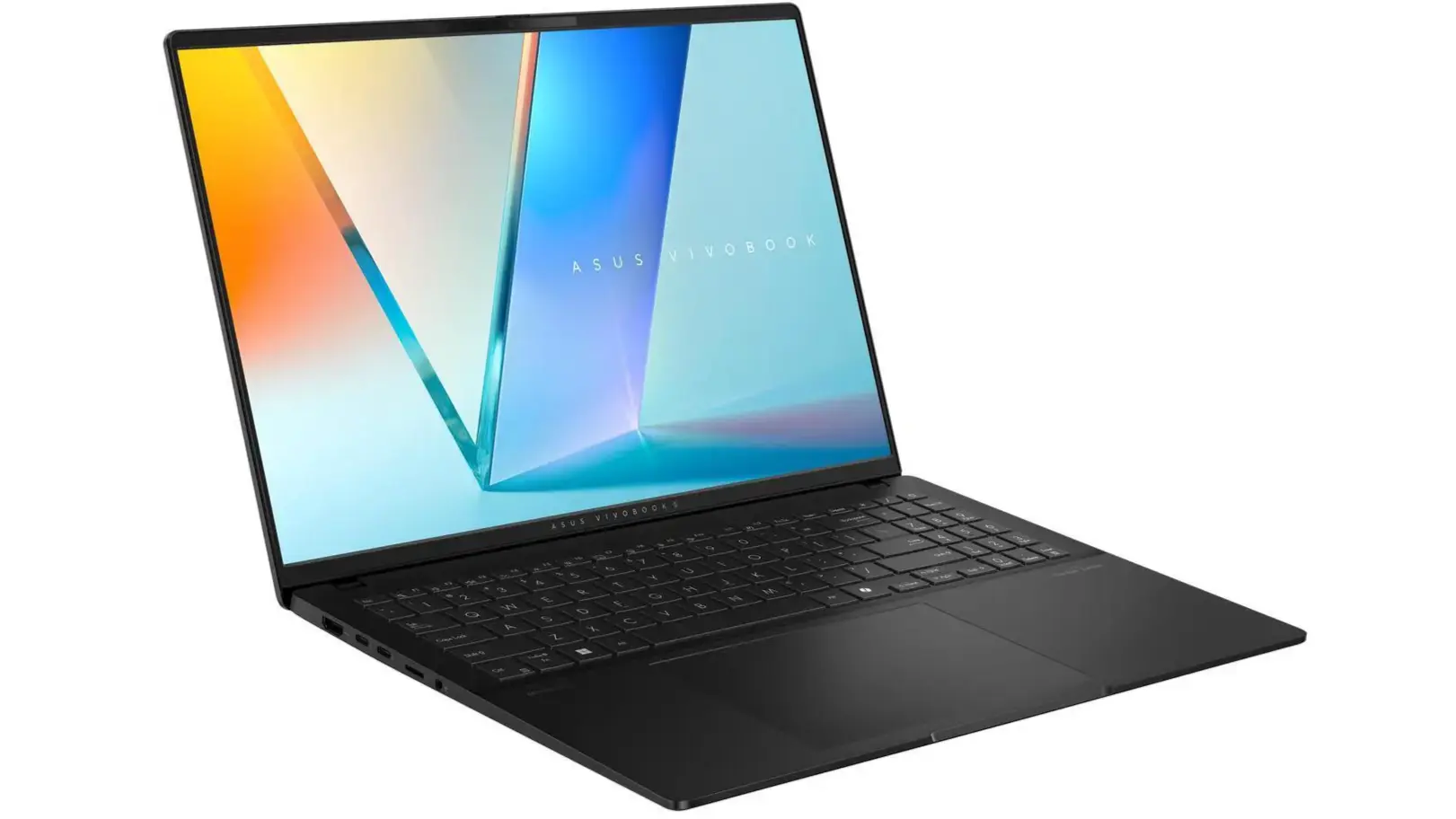
ASUS Vivobook 16 OLED: Power, Display, and AI in One Package
The ASUS Vivobook 16 OLED has emerged as one of the most compelling laptops in the mid-range segment, especially now with a deal that bundles 32GB of RAM, a 3K OLED display, and Intel’s latest AI-focused processor. For those who need a machine that can handle multitasking, creative work, and light gaming without breaking the bank, this configuration is a standout.
The 16-inch OLED panel is the centerpiece of this laptop. With a resolution of 3200 x 2000 (3K), it delivers sharp text and vibrant colors. OLED technology offers true blacks and high contrast ratios, making it ideal for photo and video editing, as well as streaming HDR content. The display covers 100% of the DCI-P3 color gamut and is Pantone validated, ensuring accurate color reproduction for professionals.
Intel’s Latest AI Chip: Core Ultra Series
Under the hood, the Vivobook 16 OLED is powered by Intel’s latest Core Ultra processor, part of the Meteor Lake architecture. This chip integrates a dedicated neural processing unit (NPU) that accelerates AI tasks such as real-time background blur during video calls, voice transcription, and image editing. The performance uplift over previous generations is significant, especially in multi-threaded workloads. Combined with 32GB of LPDDR5 RAM, the laptop can handle dozens of Chrome tabs, video editing software, and virtual machines simultaneously without stuttering.
The inclusion of Intel Arc graphics (integrated) means that light gaming and content creation are smoother than before. While not a dedicated GPU, the Arc graphics can handle older titles at medium settings and accelerate video encoding in apps like Adobe Premiere Pro.
32GB RAM: A Power User’s Dream
Most laptops in this price range come with 8GB or 16GB of RAM. The 32GB configuration is a rarity and positions the Vivobook 16 OLED as a serious productivity machine. For data scientists, programmers running Docker containers, or artists working with large Photoshop files, the extra memory reduces the need for swapping and improves workflow efficiency. The RAM is soldered, so choosing the 32GB variant is a future-proof decision.
Storage options include a fast 1TB PCIe 4.0 SSD, which offers quick boot times and ample space for files. The combination of 32GB RAM and a 1TB SSD is a sweet spot for most users, balancing cost and capability.
Design, Portability, and Battery Life
The Vivobook 16 OLED features a sleek aluminum chassis that looks premium. The laptop weighs around 1.8 kg and is 19.9 mm thick, making it portable enough for daily commutes. The hinge design allows the screen to lay flat at 180 degrees, which is useful for sharing content during meetings. The keyboard has a full number pad and is backlit, with decent key travel. The touchpad is large and supports Windows 11 gestures.
Battery life is rated at up to 10 hours with mixed usage, thanks to the efficient Intel Core Ultra chip and a 75 Wh battery. The laptop supports fast charging via USB-C, reaching 60% in about 49 minutes. The included 90W power adapter is compact.
Connectivity and Ports
Despite its slim profile, the Vivobook 16 OLED offers a solid selection of ports: two USB-C Thunderbolt 4 ports, two USB-A 3.2 Gen 1 ports, one HDMI 2.1, a 3.5mm audio jack, and a microSD card reader. The Thunderbolt ports allow for connecting external monitors and docking stations, and they support up to 40Gbps data transfer rates. The HDMI 2.1 port can drive a 4K display at 120Hz, making it suitable for external monitor setups.
Wireless connectivity includes Wi-Fi 6E and Bluetooth 5.3, ensuring fast and stable connections to networks and peripherals. The laptop also features a 1080p webcam with a privacy shutter and dual-array microphones for clear voice capture during video calls.
Software and AI Enhancements
ASUS includes several AI-powered utilities. The built-in AI noise cancellation works on both input and output audio, filtering out background noise during calls. The MyASUS app offers system diagnostics, fan speed control, and a feature called “AI Eye-Care” that adjusts the display’s color temperature to reduce eye strain. The laptop runs Windows 11 Pro out of the box, which includes Copilot integration for AI-assisted productivity tasks.
For creative professionals, the Vivobook 16 OLED supports Dolby Vision and Dolby Atmos, enhancing the multimedia experience. The Harman Kardon-certified speakers deliver clear sound with decent bass, though external speakers or headphones are recommended for critical listening.
Pricing and Availability
This specific deal brings the ASUS Vivobook 16 OLED model with 32GB RAM, 3K OLED, and Intel Core Ultra 7 to a price point significantly lower than other laptops with similar specs. Typically, a configuration like this would cost upwards of $1,500, but the promotional pricing makes it accessible to a broader audience. Availability is limited, and the deal is expected to run for a short period only, as noted on various retailer sites.
Compared to competitors like the Dell XPS 16 or MacBook Pro 16, the Vivobook offers a better value proposition, especially for users who prefer Windows and need the flexibility of a 2-in-1 form factor (though this model is a traditional clamshell). The 3K OLED display is a standout feature that many rivals reserve for higher-tier configurations.
Who Should Buy This Laptop?
This laptop is ideal for university students studying design or engineering, remote workers who spend hours on video calls, and casual content creators who edit photos and videos as a side hustle. The 32GB RAM ensures that heavy applications run smoothly, and the OLED display makes color-critical work easier. The inclusion of an AI chip also future-proofs the device for upcoming software that leverages machine learning.
One potential downside is the lack of a dedicated GPU for intensive gaming or 3D rendering. However, for most productivity tasks, the integrated Arc graphics are sufficient. If you need a gaming laptop, consider ASUS's ROG series instead.
Battery life is good but not exceptional if you push the display to maximum brightness or run demanding applications continuously. Users can expect around 7-8 hours of real-world usage under moderate load.
Source: Windows Central News