

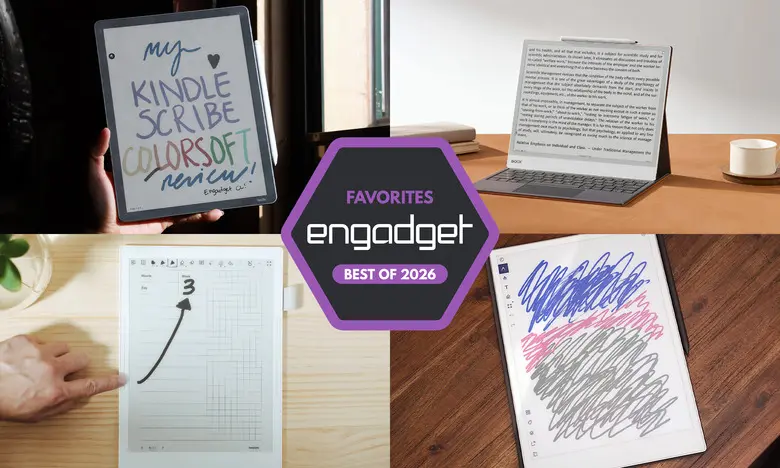
E Ink tablets have evolved significantly over the past few years, offering a compelling middle ground between traditional paper notebooks and feature-rich LCD tablets. For those who love the feel of writing on paper but want the benefits of digital storage and organization, these devices have become indispensable tools. In 2026, the market is packed with options ranging from monochrome minimalists to color-screen powerhouses. After extensive hands-on testing, we've identified the standout models that cater to different needs and budgets.
Best Overall: reMarkable 2
The reMarkable 2 remains the best E Ink tablet for most people, striking an excellent balance between performance, design, and ease of use. Its 10.3-inch monochrome display provides a remarkably paper-like writing experience with negligible latency. The sleek, lightweight build (under one pound) makes it easy to carry around, and the beige bezels give it a premium, notebook-like aesthetic.
One of its standout features is the seamless file management system. Users can transfer documents via Google Drive, Microsoft OneDrive, or Dropbox integration, and the optional Connect subscription ($3/month) unlocks unlimited cloud storage and syncing with mobile and desktop apps. The tablet also supports PDF and EPUB files, making it suitable for reading academic papers, work documents, or long-form articles.
The writing tools include eight brush types with adjustable thickness and pressure sensitivity. Handwriting-to-text conversion works with surprising accuracy, and the ability to create notebooks and organize them into folders keeps everything tidy. The main drawbacks are the additional cost for the stylus (Marker or Marker Plus) and the lack of a backlight, which limits usability in dim environments.
Specs and Pricing
- Screen size: 10.3 inches
- Battery life: Two weeks
- Storage: 8GB
- Included stylus: No (extra cost)
- Price: $399 (with standard Marker) starting
Best Premium Option: reMarkable Paper Pro
For those willing to invest in a luxury E Ink experience, the reMarkable Paper Pro delivers a larger 11.8-inch color display, faster performance, and a refined design. The Canvas Color screen produces over 20,000 colors, allowing for vibrant highlights, colored notes, and more expressive doodles. The 12ms pen latency is among the fastest we've tested, making the writing feel instantaneous.
The Paper Pro also includes a backlight, a welcome addition for reading and writing in low-light conditions. Its 64GB of internal storage is generous, and the quad-core processor ensures smooth navigation and quick page refreshes. While the $629 starting price is steep, the build quality and feature set justify the cost for serious note-takers and professionals.
Key Improvements Over the reMarkable 2
- Color E Ink display (Canvas Color technology)
- Larger 11.8-inch screen
- Backlight for dark environments
- Upgraded processor and 2GB RAM
Best for Kindle Users: Amazon Kindle Scribe
The Amazon Kindle Scribe is the ultimate choice for readers who also want to take notes. The latest 2025 model features an 11-inch display with improved front lighting, a faster processor, and a refined design with uniform bezels. The included Premium Pen writes with low latency and attaches magnetically for secure storage.
The integration with the Kindle ecosystem is the Scribe's biggest strength. Users can access their entire library of Kindle books, mark up pages with stick notes, and create separate notebooks. The AI Search feature helps find handwritten notes, though it can be hit-or-miss. The Scribe also supports PDFs and other document types, making it versatile for work-related annotations.
One limitation is that marking up Kindle books is not as fluid as on dedicated note-taking tablets; circling text creates a separate annotation bubble rather than writing directly on the page. However, for most users, the convenience of having a massive ebook library at your fingertips outweighs this quirk. The Scribe starts at $430 for the basic model without front light, but we recommend the $500 version with the improved lighting system.
Best for Note-Taking Enthusiasts: Supernote A6 X2 (Nomad)
Supernote's A6 X2 Nomad is a niche device tailored for serious note-takers who crave customization. Its 7.8-inch screen is compact and portable, yet the writing experience is second to none thanks to the FeelWrite 2 screen protector and low-latency pen. The device supports a wide range of file formats (PDF, EPUB, Word, PNG, JPG, etc.) and offers unique features like keywords, stars, and handwriting recognition.
The user-repairable design with a replaceable battery and microSD card slot (expandable up to 2TB) is a rarity in electronics. The dual sidebars make it ambidextrous-friendly, and the auto-rotate function works seamlessly. While the software has a steeper learning curve compared to reMarkable or Amazon devices, the payoff is a highly personalized notebook that can adapt to any workflow.
Pricing starts at $329 for the Nomad (without stylus), and a larger 10.7-inch Manta X2 is also available for $505. The lack of a backlight is a drawback, but the exceptional writing feel and organizational tools make it a top pick for dedicated journalers, students, and professionals.
Best Color Android Tablet: Onyx Boox Note Air4 C
For those who want a color E Ink display with full Android app support, the Onyx Boox Note Air4 C is the best option. It runs Android 13, giving access to the Google Play Store, so users can download Kindle, Kobo, note-taking apps, and even a web browser. The 10.3-inch Kaleido 3 color screen provides decent color reproduction for highlights and diagrams, though it's not suitable for video consumption.
The Note Air4 C includes a stylus in the box and offers a low-latency writing experience with multiple brush types and color presets. The AI handwriting recognition is accurate, and the ability to insert shapes, voice recordings, and web clippings into notes adds versatility. At $500, it's a solid value for those who want a distraction-limited device that still connects to essential services like email and cloud storage.
Pros and Cons
- Pros: Color display, Google Play Store, included stylus, versatile file support
- Cons: Not as user-friendly as competitors, E Ink screen limits video quality
Large-Screen Option: Onyx Boox Note Max
The Onyx Boox Note Max boasts a massive 13.3-inch E Ink Carta 1300 display, ideal for those who prefer a legal-pad-sized writing surface. Its 300 dpi resolution ensures sharp text, and the device runs Android 13 with Google Play Store access. At $650, it's expensive but delivers a premium large-format experience that few competitors match.
The Calendar Memo app is a highlight, allowing users to make daily notes that are stored in a month view for easy retrieval. The Note Max also includes a stylus and a cover in the box, which adds value. However, it lacks a front light, and the software can be overwhelming for new users.
Honorable Mentions
reMarkable Paper Pro Move
The Paper Pro Move is a smaller, more portable sibling to the Paper Pro. Its 7.3-inch color display makes it perfect for on-the-go note-taking, and the build quality matches the full-sized version. At $449, it's more affordable but still premium-priced for a compact tablet.
Kobo Libra Colour
The Kobo Libra Colour combines a seven-inch color E Ink screen with stylus support, making it a versatile ereader and note-taking device. The stylus allows margin notes and highlights in books, and integration with Dropbox and Google Drive adds convenience. At $220 (plus $70 for the stylus), it's a budget-friendly alternative for readers.
What to Look for in an E Ink Tablet
When choosing an E Ink tablet, prioritize the writing experience: low latency and a responsive stylus are crucial. Consider screen size – larger displays are better for writing, but can be less portable. Reading ecosystem matters if you already own ebooks from Amazon or Kobo. Search functionality, cloud syncing, and file format support are also key factors. Prices range from $220 to over $800, so set a budget and decide which features are non-negotiable.
Source: Engadget News